PosturaApple Watch8 min read
Posture reminder on Apple Watch: how to set one up
Can Apple Watch remind you to sit up straight? What a watch can and cannot detect, how Stand alerts differ and how to set up posture reminders.
Apple Watch can remind you to check your posture, but it cannot see your posture. It sits on your wrist, with no view of your neck or back, and Apple lists no posture feature for it. What it does well is deliver a timely tap: Activity alerts to stand and move, and posture reminders from an app.
This guide explains what a watch can and cannot detect, how Apple's built-in Stand ring compares with a posture reminder, and how to set one up with Postura, our posture reminder app for iPhone with an Apple Watch companion. It is general information, not medical advice. If you have neck or back pain, numbness or tingling, talk to a doctor or physiotherapist.
Does Apple Watch have a posture reminder?
Apple Watch does not come with a dedicated posture reminder. Apple's watchOS page does not list a posture feature, and the closest built-in tool is the Stand ring in the Activity app. According to Apple's guide to tracking daily activity, the blue Stand ring shows how many times in the day you have stood and moved for at least one minute per hour, and the watch lets you know if you are on track or falling behind your Activity goals. That is useful, but it answers a different question: did you get up this hour? A posture reminder asks how you are sitting while you work, and it prompts a short reset, such as sitting tall, dropping your shoulders or turning your neck. To get that on your wrist, you need a posture reminder app. The watch then becomes the delivery device. It taps you, shows the prompt and lets you time the reset without reaching for your phone.
What can an Apple Watch detect about your posture?
Very little, directly. A watch follows your wrist and your movement, so it can tell when you stand up and move, but it has no way to measure the angle of your head or the curve of your back. Here is how that plays out:
| Question | Can Apple Watch tell? | What can help instead |
|---|---|---|
| Did I stand up and move this hour? | Yes, the Stand ring counts it | Apple Watch on its own |
| Is my head drifting forward toward the screen? | No, the watch is on your wrist | AirPods with head tracking and a posture app |
| Are my shoulders creeping up toward my ears? | No | A posture check, where you notice and reset |
| Is my lower back rounded? | No | A good chair setup and a posture check |
| Did I do today's posture checks? | Yes, if you log them | A habit app such as Postura |
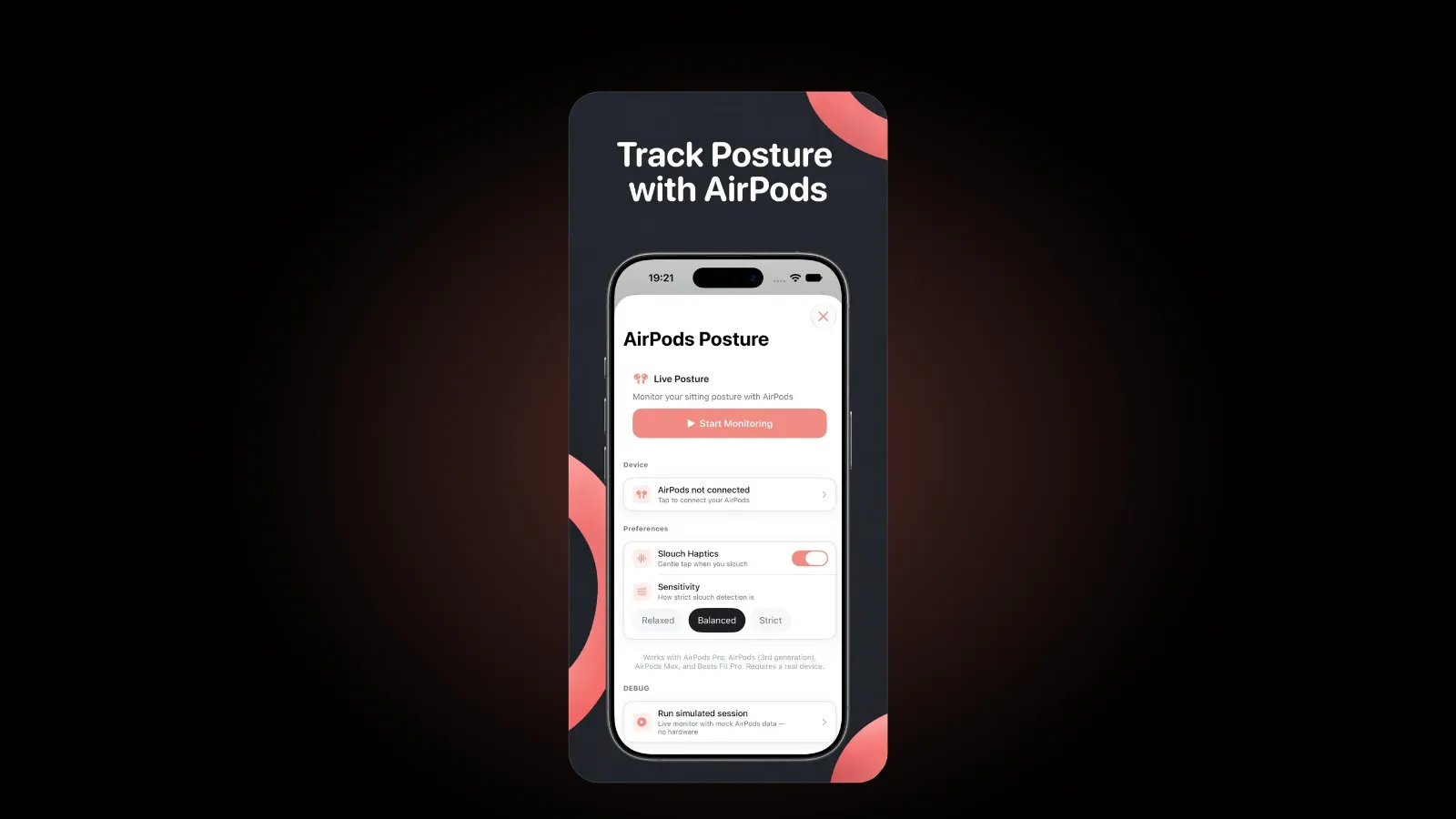
Head angle is a posture signal that everyday devices can pick up, but it comes from your ears, not your wrist. Our guide to AirPods posture tracking explains how that works and where it stops. In Postura, live AirPods coaching runs in the iPhone app and is part of Postura Pro.
So the honest answer to "does Apple Watch track posture?" is no. It can still be the best place to receive a posture reminder, because a tap on the wrist is hard to miss and easy to act on.
How is a Stand reminder different from a posture reminder?
A Stand reminder gets you out of your chair. A posture reminder improves the time you spend in it. You want both, and the guidance backs that up.
The NHS physical activity guidelines tell adults to "reduce time spent sitting or lying down and break up long periods of not moving with some activity." That is the job of the Stand ring. The NHS advice on neck pain adds a second point: do not keep your neck in the same position for a long time, for example when sitting at a desk. That is where a posture check helps, because it breaks up the hours between stand breaks.
- Stand ring: built in, focused on standing and moving for a minute each hour. You can configure Activity notifications in the Settings app on your watch, under Activity.
- Posture reminder: comes from an app, focused on how you sit, and follows the schedule you set. Each prompt asks for a specific reset, usually 30 seconds or so.
They work well together. Stand when your watch nudges you, and use the posture check to reset in between.
How do you set up a posture reminder on Apple Watch?
Here is the setup we recommend with Postura. It takes a few minutes, and most of it happens on your iPhone.
- Install Postura on your iPhone. The Apple Watch app requires watchOS 26 or later and syncs with the iPhone app in real time.
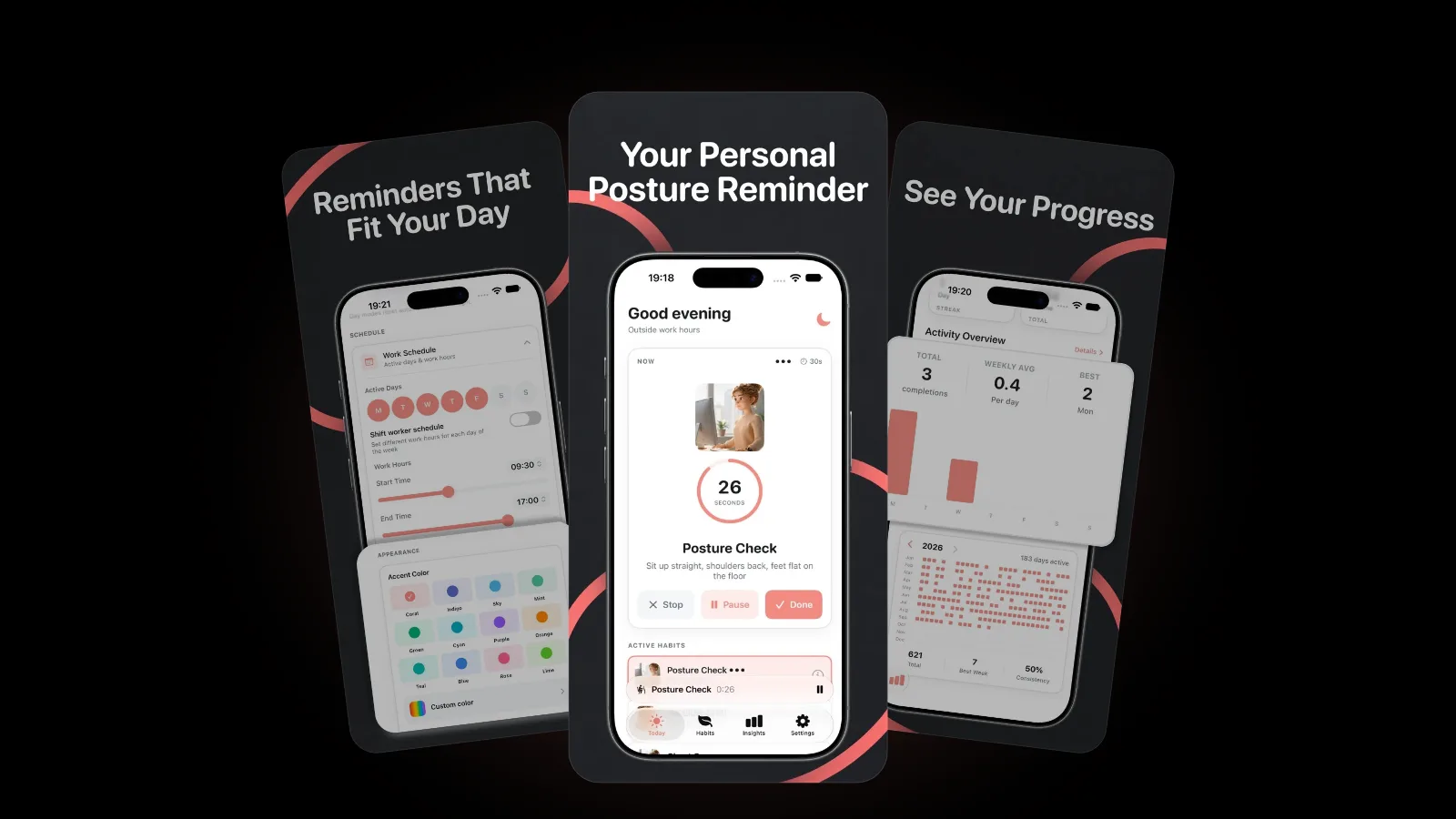
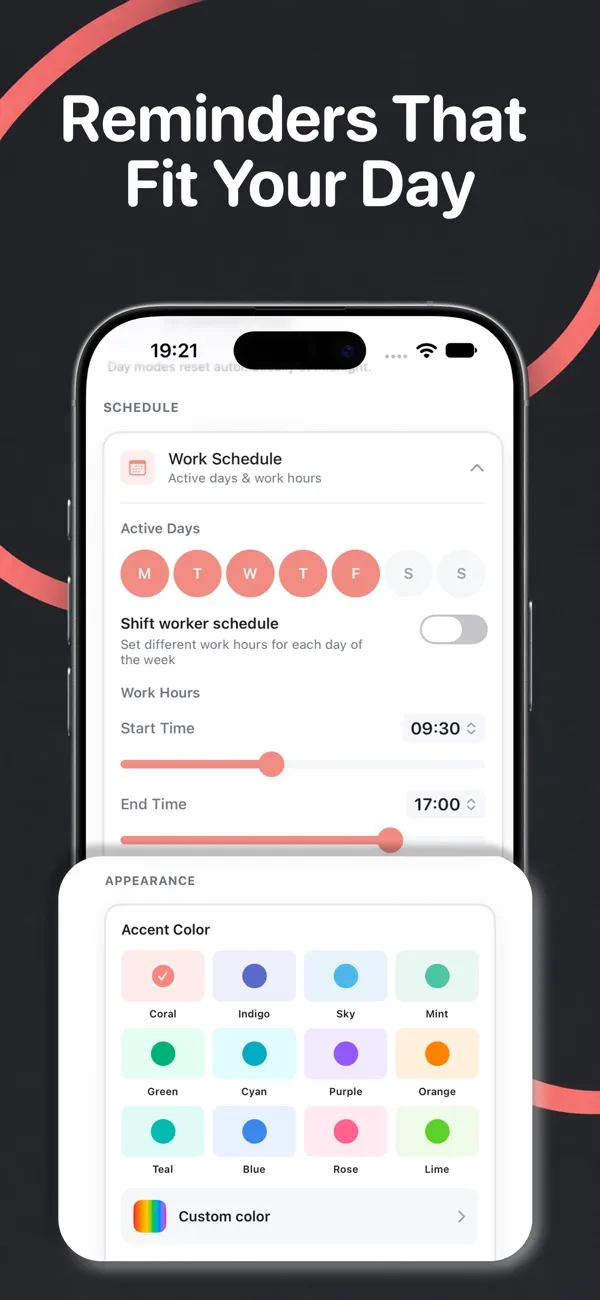
- Set your working hours and active days. Reminders arrive only inside them. Shift workers can set different hours for each day, including overnight shifts.
- Pick your posture habits. Posture Check, Shoulder Drop, Chest Open and Neck Tilt are built in, next to movement, eye and breathing breaks. Choose how often you want reminders and how many times a day you aim to do each habit.
- Let reminders reach your wrist. Postura schedules its reminders on your iPhone. Apple says that if your iPhone is locked or asleep, you get notifications on your Apple Watch, unless the watch is locked. While you are using the iPhone, they appear on the phone instead. To check which apps can alert your watch, open the Apple Watch app on iPhone, tap My Watch, then Notifications.
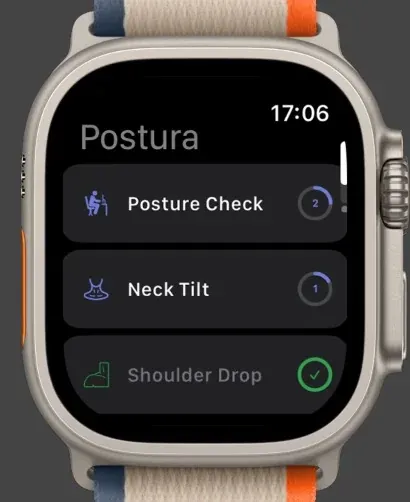
- Do the reset from your wrist. Open Postura on the watch, tap a habit and start its timer. You can pause it or mark it done, and the completion syncs back to your iPhone. Since Postura 2.0, completing a habit on Apple Watch also updates your reminders.
A practical tip: leave your iPhone locked on the desk while you work. That is exactly when Apple routes notifications to the watch, so each reminder lands on your wrist instead of pulling you into your phone.
What does Postura do on Apple Watch?
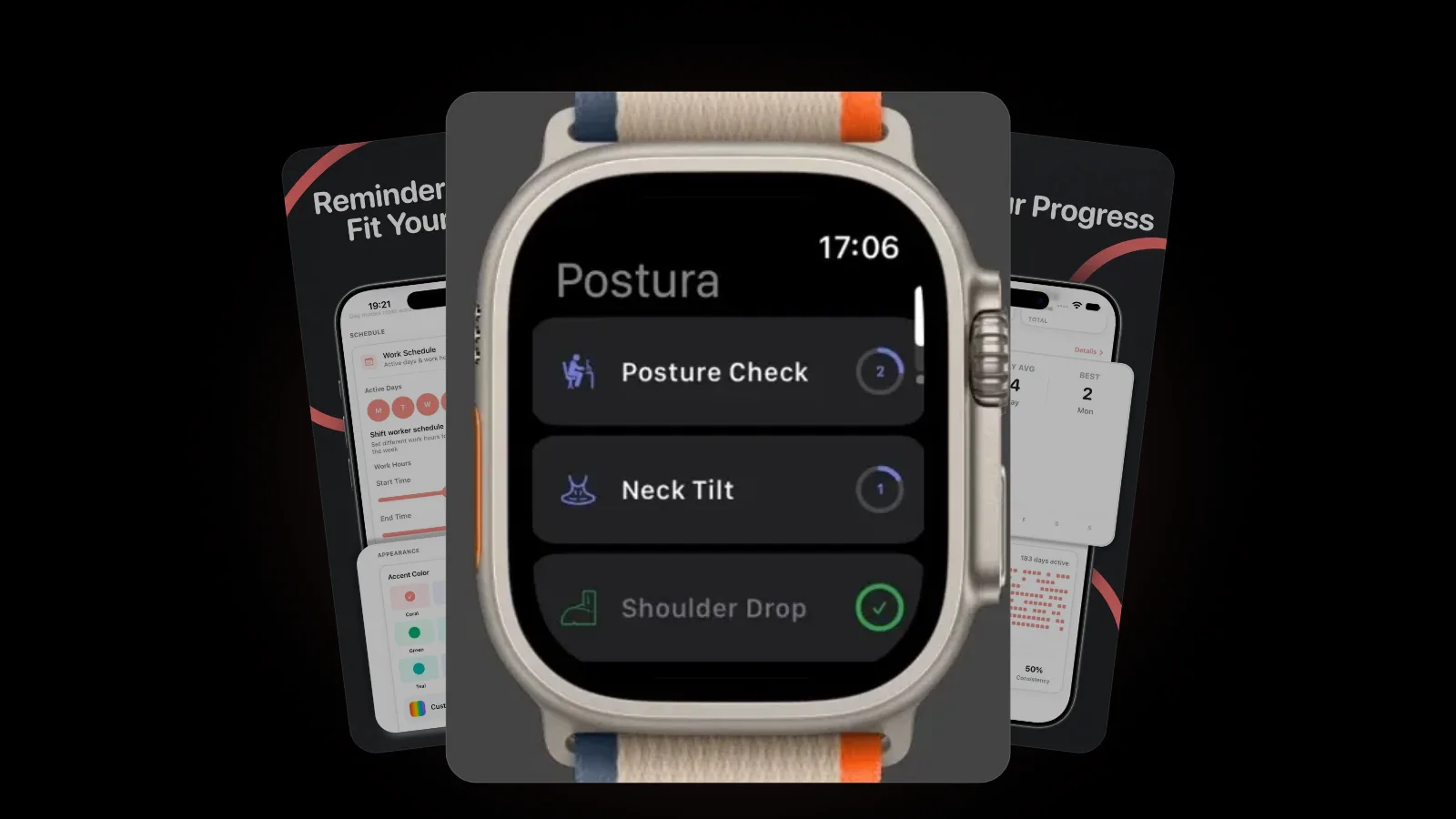
On Apple Watch, Postura is a companion for doing and tracking your habits. It does not replace the iPhone app; it puts the parts you need during the day on your wrist:
- Today's habits, each with a ring that fills as you reach its daily target
- A timer for each habit, with pause and done controls
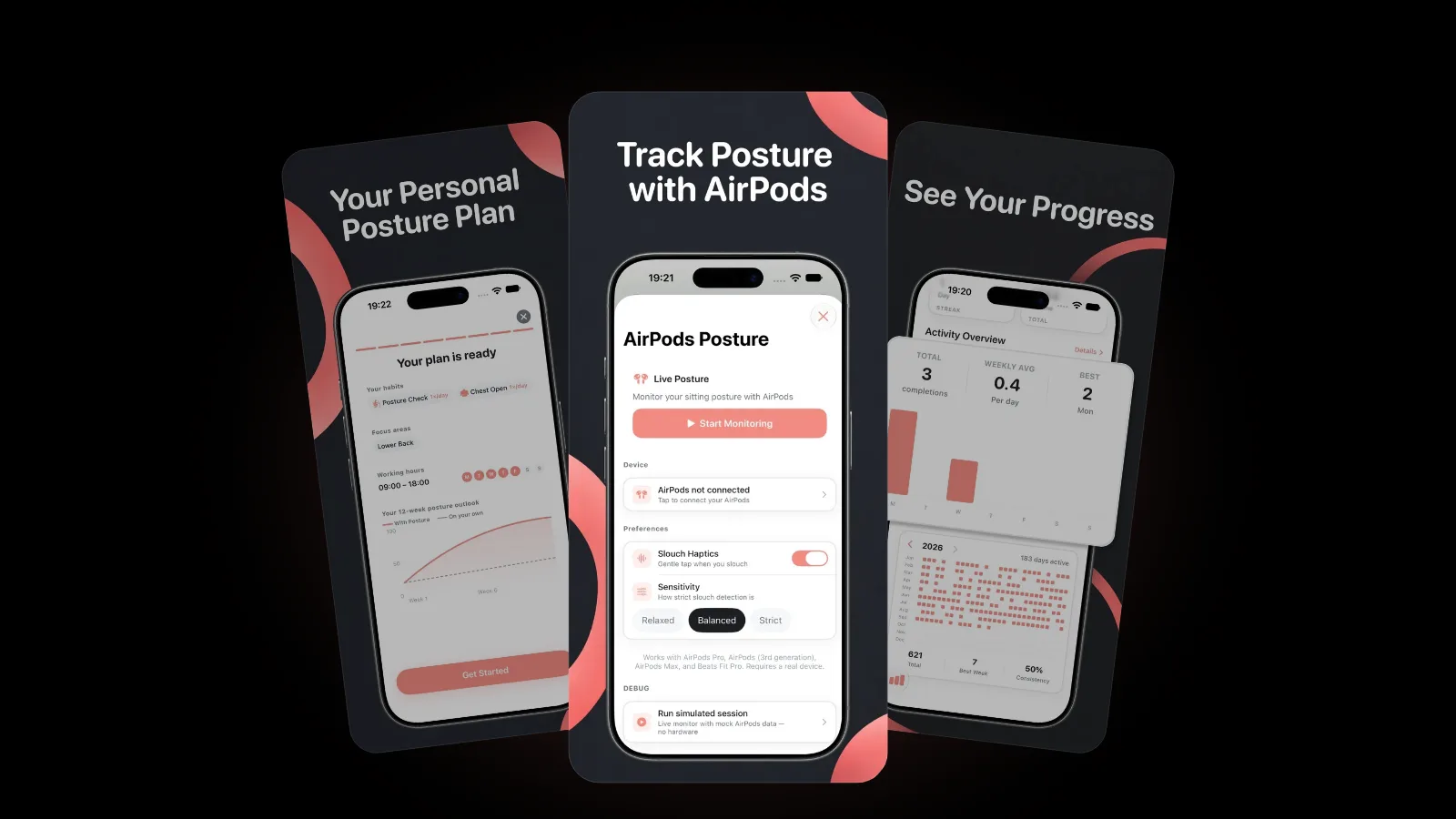
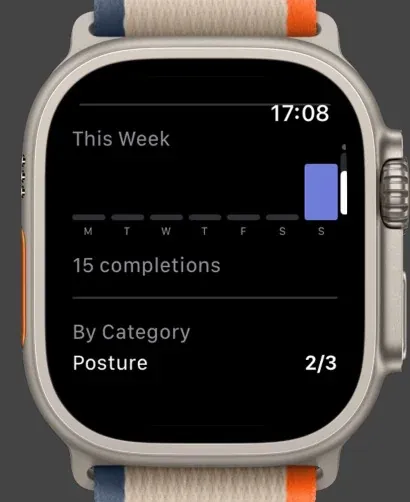
- This Week, a bar chart of your completions with a weekly total
- By Category, your progress per category, such as Posture 2/3
- Real-time sync with the iPhone app, in both directions
Schedules, reminder settings, monthly and yearly insights, widgets and AirPods coaching stay on the iPhone. On Android, Postura is on Google Play for your phone, with reminders, habit timers and progress tracking, but there is no watch companion there.
How often should a posture reminder go off?
There is no official number. The UK Health and Safety Executive says in its guidance on work routine and breaks that there is no legal guidance on how long and how often screen breaks should be. Its advice is to take short breaks often, rather than longer ones less often: 5 to 10 minutes every hour is better than 20 minutes every 2 hours.
In practice, this rhythm works well for many desk days:
- About once an hour: a 30 second posture check or shoulder drop.
- When the Stand ring asks: get up and move for at least a minute.
- Every 20 minutes: look into the distance, following the 20-20-20 rule for your eyes.
- Once or twice a day: a longer reset with our desk stretches for neck and shoulders.
If the reminders start to feel noisy, lower the frequency rather than switching them off. Postura also pauses reminders automatically once you reach your goals. And if your neck is the first thing to tighten after a long day, our guide to tech neck covers why screens pull your head forward and what helps.
FAQ
Can Apple Watch detect bad posture?
No. It sits on your wrist, so it can tell whether you stood and moved each hour, but not the angle of your neck or back. Head angle needs a sensor on your head, such as AirPods that support head tracking, paired with a posture app.
Can I turn off Stand reminders and keep posture reminders?
Yes. Apple lets you configure Activity notifications in the Settings app on your watch, under Activity. Postura's reminders are separate from the Stand ring and follow the schedule you set in Postura.
Does the Postura watch app work without an iPhone?
The watch app syncs with Postura on your iPhone, and your reminders are scheduled there. If the watch has no habits yet, it asks you to open Postura on your iPhone to sync.
Is there a Postura watch app for Android?
No. Postura is on Google Play for Android phones, with reminders, habit timers and progress tracking. The watch companion is available for Apple Watch only.
Get started
Postura is free to download on the App Store for iPhone and Apple Watch, and on Google Play for Android, with an optional Pro subscription. It sends posture checks, stretches, eye breaks and breathing moments during the hours you choose, and the Apple Watch app lets you do them from your wrist. Postura is not a medical app; it is a gentle way to build better desk habits. See everything it does on the Postura page or read more Postura articles.