PosturaiPhone9 min read
Posture reminder on iPhone: built-in options and an app
iPhone has no posture reminder built in. How to set an hourly one in Reminders, keep it to work hours with a Focus, or use an app that does both.
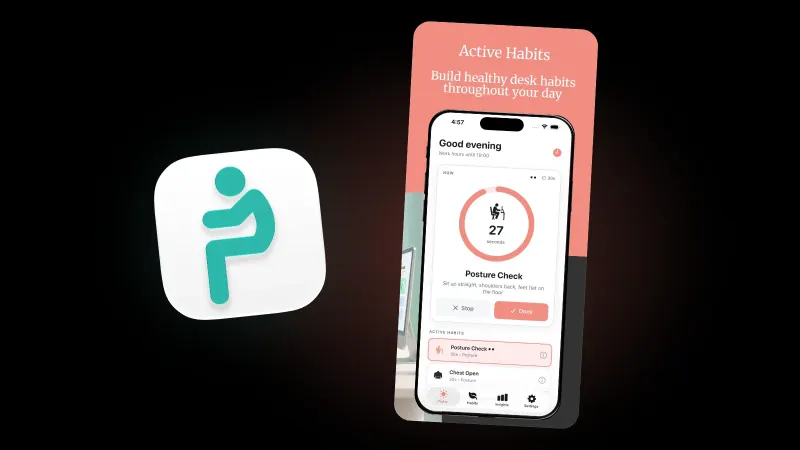
iPhone has no posture reminder built in. The closest free option is the Reminders app: set a time, choose an hourly repeat, and your phone nudges you to sit up every hour. It doesn't know your working hours, though, so it keeps going into the evening unless a Focus silences it. An app can handle that for you.
Below: the built-in route with Reminders and Focus, how our posture app for iPhone handles work hours, busy days and snoozes, and the Android version. This is general information, not medical advice. If you have neck or back pain, numbness or tingling, see a doctor or physiotherapist.
Does iPhone have a built-in posture reminder?
No. Apple's iPhone User Guide lists no posture feature, and on its own your iPhone can't see how you sit: lying on the desk, it has no view of your neck or back. What it can do is remind you on a schedule, and that is the part that matters most. The UK Health and Safety Executive says in its guidance on work routine and breaks that there is no legal guidance on how long and how often screen breaks should be, but that short breaks often are better than longer ones less often: 5 to 10 minutes every hour beats 20 minutes every 2 hours. Breaks should let you get up and move around, or at least stretch and change posture. So the job is a regular nudge during the hours you work. On iPhone you can build that from two free parts, the Reminders app and a scheduled Focus, or hand the whole schedule to an app.
With an Apple Watch, the Stand ring also nudges you to move each hour; see our guide to a posture reminder on Apple Watch. On iPhone, the options compare like this:
| What you want | Reminders, hourly | Reminders plus a Focus | Postura |
|---|---|---|---|
| Quiet evenings | No, it keeps repeating | Yes, while the Focus is on | Yes, only inside work hours |
| Days off | No | Only if a Focus covers them | Yes, you pick active days |
| Shifts or changing hours | No | Not built for it | Yes, shift worker schedule |
| A lighter day | Edit it yourself | Turn the Focus on early | Busy Day, Meeting-Heavy or Silent Day |
| What to do | The title you type | The title you type | Rotating habits such as Posture Check and Neck Tilt |
How do you set an hourly posture reminder in the Reminders app?
Apple's guide to adding details in Reminders says to turn on Date or Time, tap Repeat, then choose the frequency. For posture, choose Hourly:
- Create it. Open Reminders and add a reminder that says what to do, such as "Change position and drop your shoulders".
- Set a start time. Open its details, turn on Date and Time, and pick the start of your workday, for example 09:30.
- Repeat it. Tap Repeat and choose Hourly.
- Leave Urgent off. Apple's Reminders support page says that from iOS 26.2, an urgent reminder schedules an alarm, and alarms activate even when your device is silenced or a Focus is on.
Why "change position" rather than "sit up straight"? Leeds Community Healthcare NHS Trust says on its mid and upper back page that there is no one correct posture. It advises changing position as regularly as you can, and getting up to move around after 30 minutes.
The catch is the evening. Apple's list of Reminders settings has nothing about working hours, so an hourly repeat carries on after work and through the weekend.
How do you keep posture reminders to your working hours?
There are two free workarounds.
Option 1: a scheduled Focus. Apple lets you schedule a Focus to turn on at certain times and silence notifications from specific apps while it is on:
- Go to Settings, tap Focus, then choose a Focus, for example Personal.
- Tap Apps, tap Silence Notifications From, then add Reminders.
- Under Set a Schedule, tap Add Schedule and set your off-work hours, for example 18:00 to 09:00.
This silences every reminder in that window, not only the posture one. And if Time Sensitive Notifications is on for that Focus, Apple says all apps can send time-sensitive notifications immediately, so check it if a reminder still gets through.
Option 2: one reminder per working hour. Create a reminder for each hour of your workday and set each to repeat on Weekdays. It's fiddly, but they stay quiet in the evenings and at weekends.
Neither handles changing hours, night shifts, a day of meetings or stopping once you've done enough. If you sit for most of your shift, our guide to sitting all day explains why breaking it up matters.
How do you set up posture reminders in Postura?
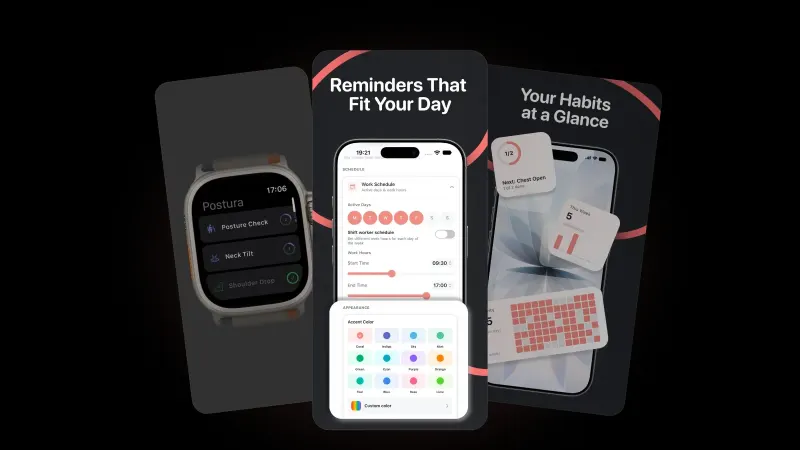
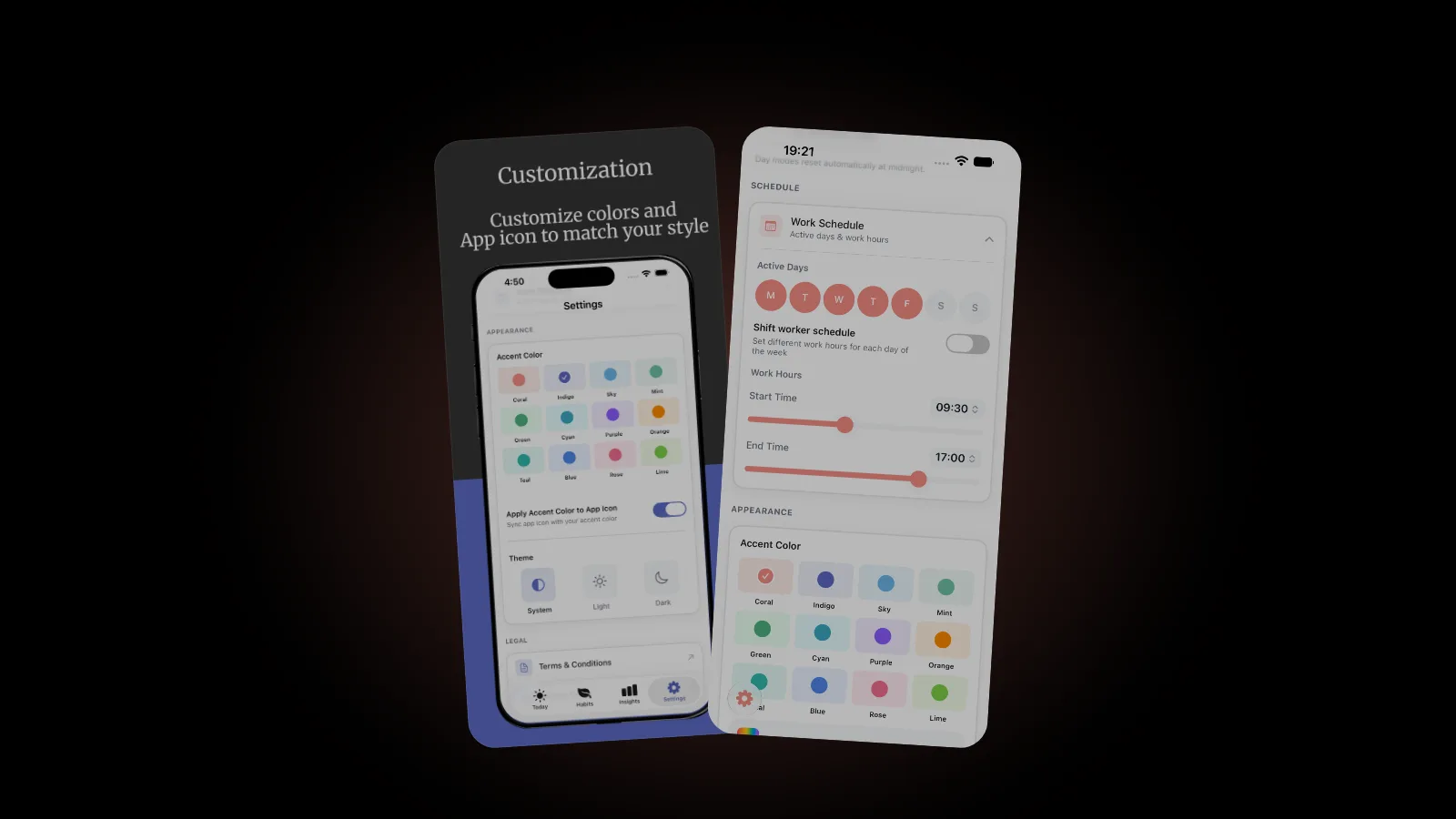
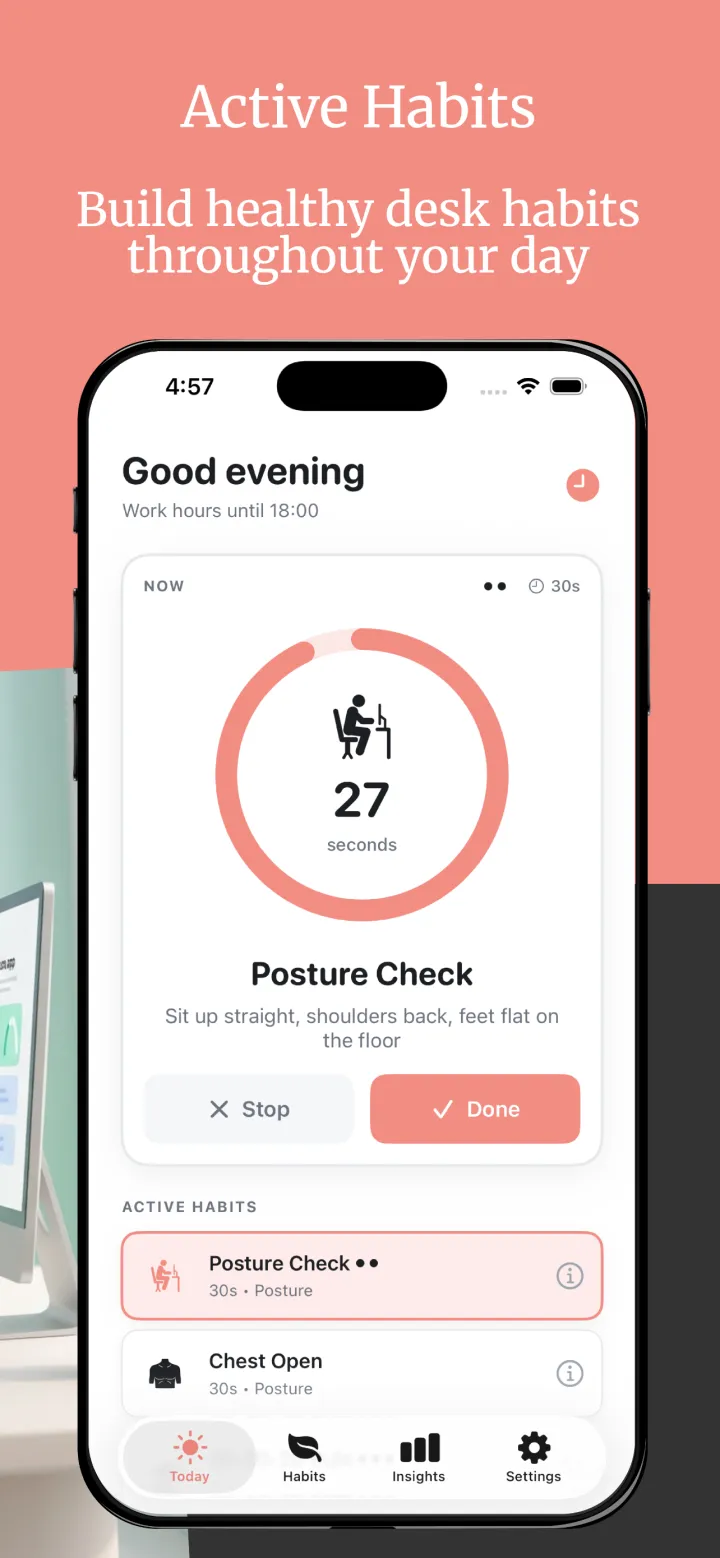
Postura builds the schedule for you. On first launch it asks where you feel tension, how long you sit during work, which habits you want and how often, and your work days and hours, then makes a plan. In Settings you can adjust it:
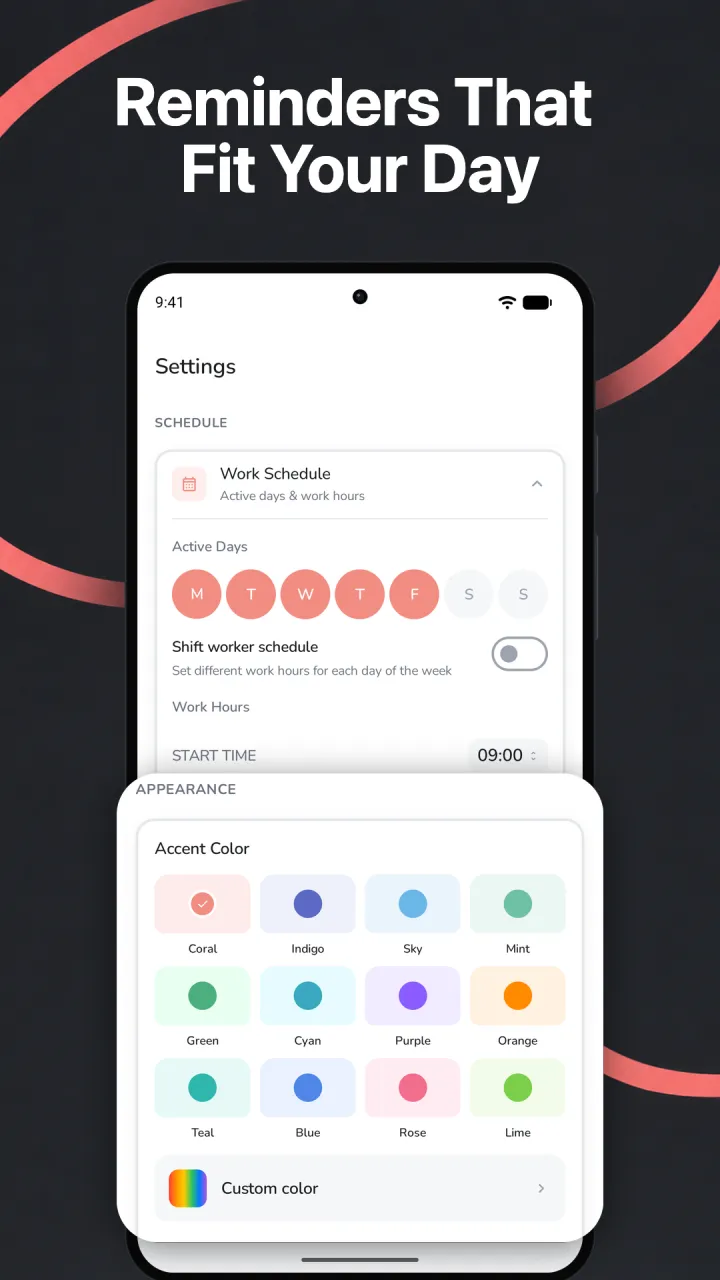
- Work Schedule: your active days and work hours. Reminders arrive only inside them. Shift worker schedule sets different hours for each day, and an overnight shift ends the next day.
- Reminder intensity: Gentle, Balanced or Active, for up to 4, 6 or 9 reminders a day.
- Reminder priority: Off, Low, Normal or High for each habit, which affects how often it is suggested.
- Pause when completed and End-of-day silence: no reminders once you meet your daily goal, or after work hours.
For days that don't follow the plan, pick a Day mode. It resets automatically at midnight.
| Day mode | What changes |
|---|---|
| Normal | Your regular reminder schedule |
| Busy Day | Fewer reminders |
| Meeting-Heavy | Minimal interruptions, delivered quietly without sound |
| Silent Day | No reminders that day |
Do prompts help? The evidence is small but encouraging. In 2012, a randomized trial in the American Journal of Preventive Medicine, Point-of-choice prompts to reduce sitting time at work, gave 14 office workers a brief education session plus software that reminded them to stand up every 30 minutes, for 5 workdays. Compared with 14 who had only the education, they cut sitting spells over 30 minutes by 6.8% more in number and 15.5% more in time, though total sitting time did not differ significantly. In 2014, a study of 60 office workers in Preventing Chronic Disease, Prompts to disrupt sitting time and increase physical activity at work, found that the group given only hourly prompts to stand cut total sitting time by 6.6%. For what to do with each break, see our guide to micro breaks at work.
What can you do straight from the notification?
Each Postura reminder names the habit and how long it takes, such as Posture Check, 30 seconds, or your progress, such as 1 of 3 done today. Touch and hold it for two buttons:
- Mark as done logs the habit without opening the app.
- Remind me in 15 min brings the reminder back 15 minutes later.
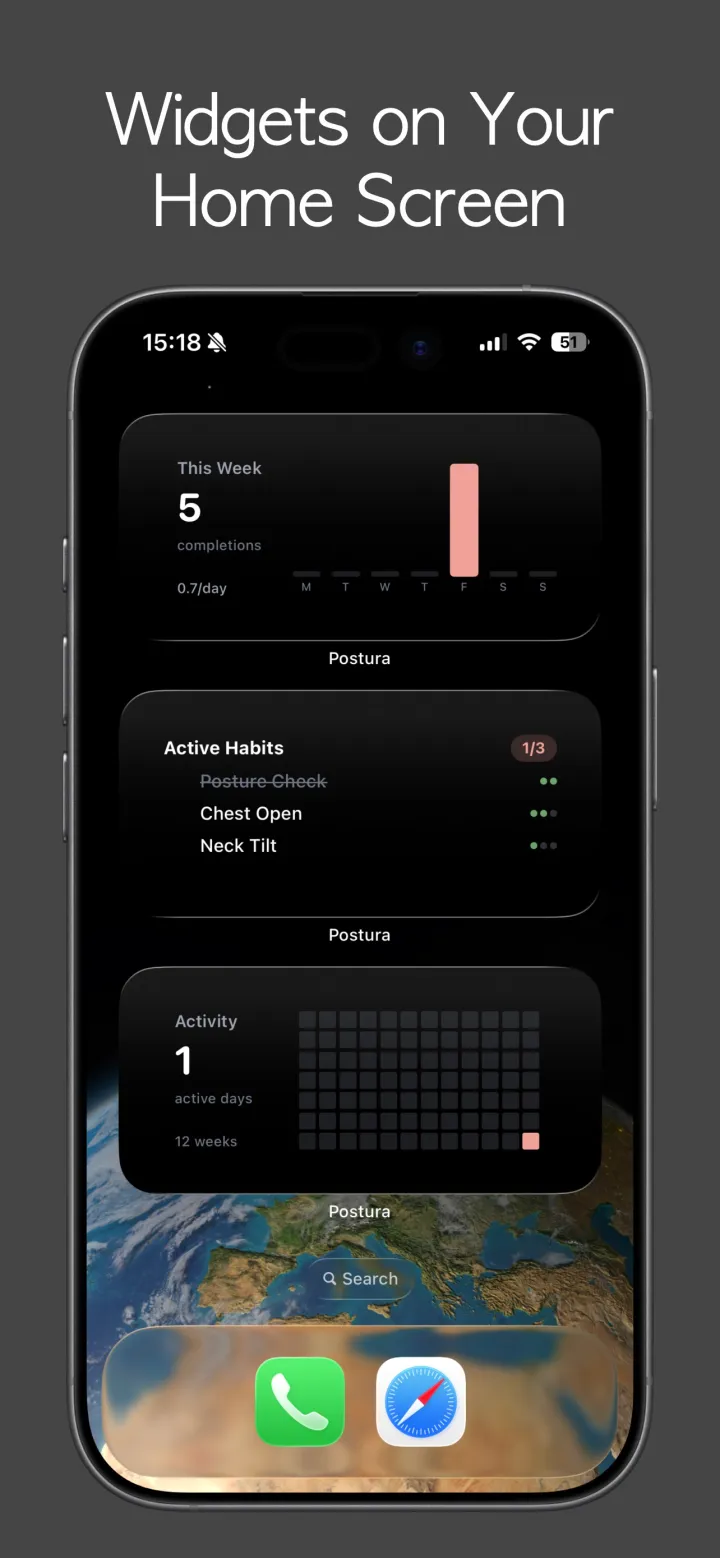
On Normal and Busy days, a "Before you log off" reminder can arrive 30 minutes before your work hours end, listing the habits still open. On the Home Screen, the free Active Habits widget shows what's left today, and Postura Pro adds the Weekly Activity and Activity Heatmap widgets. On Apple Watch, the companion app runs habit timers and shows your progress.
Can your iPhone tell when you slouch?
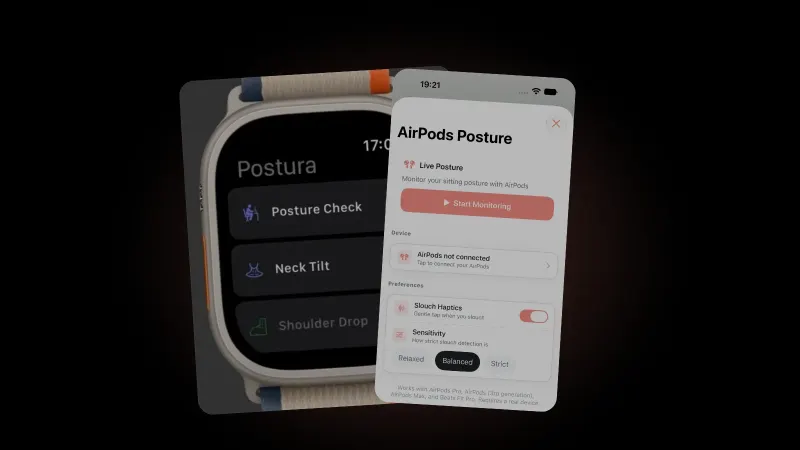
Not by itself, but with the right AirPods it can follow your head, which usually tips forward and down when you slouch toward a screen. Postura Pro turns that into live feedback on iPhone. You calibrate by sitting upright and looking straight ahead, choose Relaxed, Balanced or Strict sensitivity, and Slouch Haptics gives a gentle tap when you slouch. With an alert score set, Postura shows a banner and taps you at most once a minute while your score stays below it.
It works with AirPods 4, AirPods Pro, AirPods (3rd generation), AirPods Max and Beats Fit Pro, and pauses while Postura is in the background, so it suits focused desk sessions. Read more about AirPods posture tracking, which AirPods have head tracking and how to stop slouching.
How do you get posture reminders on Android?
Install Postura from Google Play. It has the same 12 habits and scheduling: reminders follow your working hours, active days and daily goals, you can mark a habit done or snooze it for 15 minutes from the notification, and Day modes, per-habit priority and shift schedules work the same way. It comes in 30 languages. There is no Wear OS app, and no AirPods feature on Android.
On both platforms, Postura needs no account, keeps your data on your device, makes analytics optional and anonymous, and shows no ads.
FAQ
How do I get a reminder to sit up straight every hour on iPhone?
Open Reminders, add a reminder such as "Change position and drop your shoulders", open its details and turn on Date and Time, then tap Repeat and choose Hourly. Leave Urgent off, or it rings as an alarm. To keep it out of your evenings, silence Reminders with a scheduled Focus.
Why does my hourly reminder go off at night?
An hourly repeat in Reminders has no end of day, and Apple's Reminders settings include no working-hours option, so it carries on after work. Schedule a Focus that silences Reminders outside your work hours, or create one weekday reminder for each working hour instead.
Can I snooze a posture reminder?
In Postura, yes. Touch and hold the notification and tap Remind me in 15 min, and the reminder comes back 15 minutes later. Mark as done logs the habit instead. On a packed day, switch to Busy Day or Meeting-Heavy mode for fewer interruptions.
Do I need AirPods or an account to use Postura?
No to both. Scheduled posture checks, stretches, eye breaks and breathing reminders work on iPhone and Android without AirPods. Live slouch feedback with supported AirPods is part of Postura Pro, on iPhone only. There is no account to create, and your data stays on your device.
Get started
Postura is free to download on the App Store for iPhone (iOS 26 or later) and Apple Watch, and on Google Play for Android, with an optional Pro subscription. It reminds you to check your posture, stretch, rest your eyes and breathe during the hours you choose. Postura is not a medical app; it is a gentle way to build better desk habits. See everything it does on the Postura page or read more Postura articles.